Introduction
Congratulations on buying a power meter, or maybe you’re still considering one. Soon you’ll probably run into a problem: your training software is full of English abbreviations — FTP, TSS, CTL, ATL, TSB, IF, NP — and none of them make sense, making you feel like you just bought a “more expensive bike computer.” Don’t worry. This article will explain, in the plainest language possible, the basic framework of power training from the ground up, so your power meter turns from an “expensive toy” into a “real training tool.”
Step 1: Understand FTP
What is FTP?
FTP (Functional Threshold Power) is the highest average power you can sustain for about 60 minutes, measured in watts (W).
To put it more simply: imagine you’re doing an all-out time trial, riding at the highest intensity you can maintain “hard but without blowing up” for 60 minutes. The average power at that intensity is your FTP.
Why does FTP matter?
FTP is the benchmark for all your training zones. Once you know your FTP, you can calculate the power ranges for the seven training zones, giving every workout a clear intensity target.
How should beginners measure FTP?
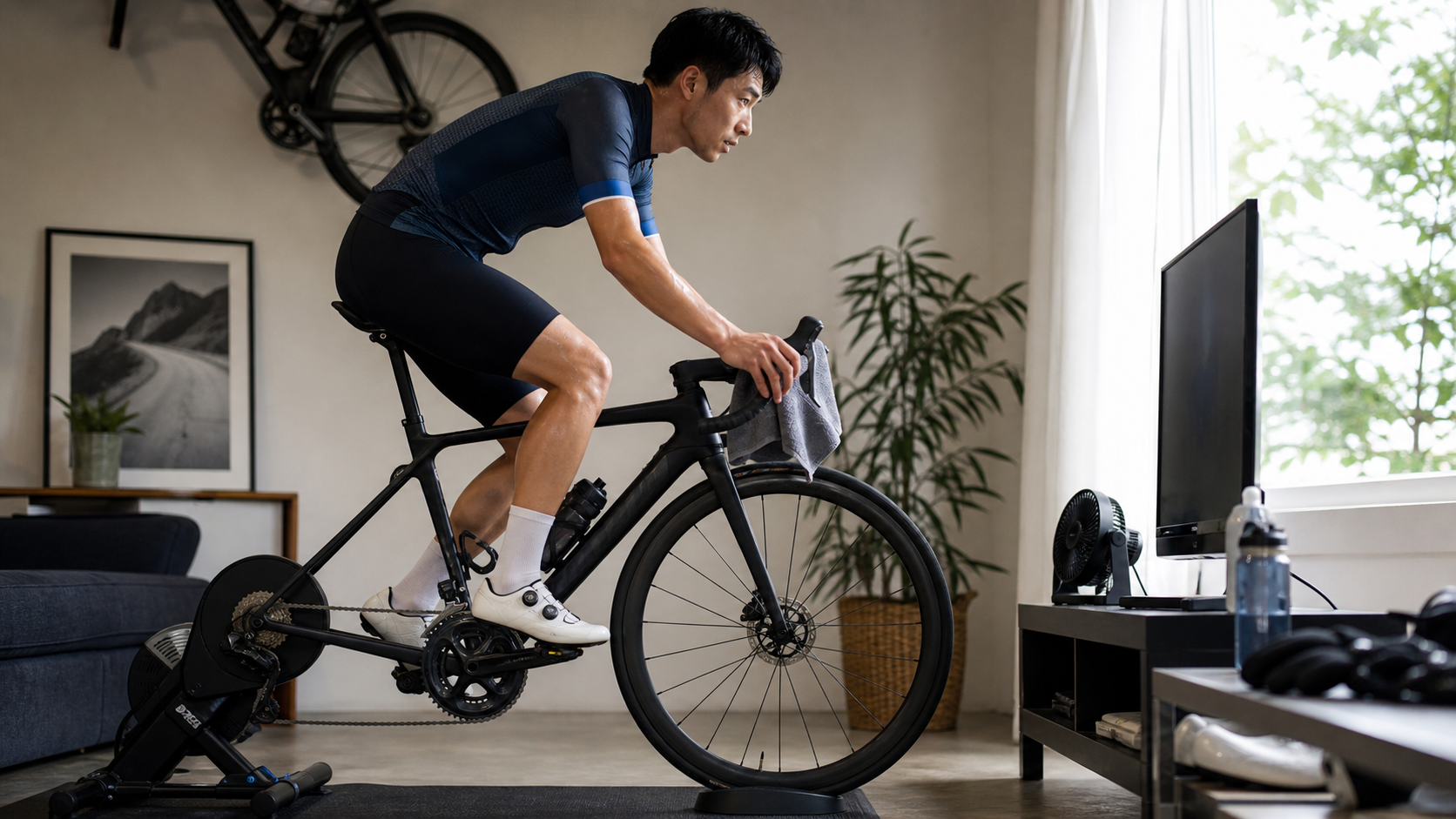
The most beginner-friendly option is the Ramp Test:
- On your trainer platform (Zwift, Wahoo, Garmin), select “Ramp Test”
- Follow the on-screen prompts as power increases by 20W every minute
- Keep riding until you reach exhaustion
- The software automatically calculates your FTP
The whole test takes about 20–30 minutes and requires no pacing skills at all.
Step 2: Get to Know the Training Zones
Once you have your FTP, your training software will automatically calculate seven training zones for you. Here’s the simplest way to remember each one:
| Zone | How It Feels | Main Purpose |
|---|---|---|
| Zone 1 | Super easy, you can sing | Recovery day |
| Zone 2 | Easy, you can hold a full conversation | Base building |
| Zone 3 | A bit tiring, only short sentences | Tempo training |
| Zone 4 | Hard, barely able to talk | Raising FTP |
| Zone 5 | Very breathless, can’t talk | Cardiovascular ceiling |
| Zone 6 | Extreme burn, <2 minutes | Anaerobic power |
| Zone 7 | All-out sprint, <15 seconds | Neuromuscular power |
What beginners should focus on
Months 1–3: Focus on Zone 2
This is the foundation most often skipped by beginners, yet it’s the most important:
- At least 3 Zone 2 sessions per week
- At least 60–90 minutes per session
- Stay at the comfortable intensity where you can “hold a full conversation”
Months 4–6: Add Zone 4
Once your base is established, add one Zone 4 interval session per week (e.g. 3×10 minutes).
Step 3: Understand TSS
What is TSS?
TSS (Training Stress Score) is an overall “quantified training load” for a single ride, taking both duration and intensity into account.
Formula: TSS = (duration in seconds × NP × IF) ÷ (FTP × 3600) × 100
It sounds complicated, but these reference values are all you really need to remember:
| TSS Range | Ride Type | Next-Day Recovery Advice |
|---|---|---|
| < 50 | Easy recovery ride | Fully recovered, high intensity possible next day |
| 50–100 | Moderate training | Mild fatigue, Zone 2 okay next day |
| 100–150 | High-intensity training | Noticeable fatigue, needs Zone 1 recovery |
| 150–250 | Long-distance ride | Needs 1–2 days of recovery |
| > 250 | Extremely long effort | Needs 2–3 days of full recovery |
Weekly TSS targets
For beginners, a reasonable weekly TSS accumulation looks like:
- Beginner phase (training <6 months): 200–350 TSS per week
- Development phase (6 months–2 years): 350–550 TSS per week
- Advanced phase (2+ years): 550–800 TSS per week
Important principle: Don’t increase weekly TSS by more than 10%. Increasing too quickly is a leading cause of injury.
Step 4: The CTL, ATL, and TSB Triangle
These three numbers are the core long-term metrics in software like TrainingPeaks, and many beginners give up as soon as they see these three abbreviations. In fact, they’re easy to understand with a simple analogy:
- CTL (Fitness): Your average training load over the past 6 weeks, representing “how solid your fitness base is”
- ATL (Fatigue): Your training load over the past 1 week, representing “how tired you currently are”
- TSB (Form): = CTL - ATL, representing “how fresh your current condition is”
The simplest rule of thumb:
- TSB > +10: Very fresh, good for testing or racing
- TSB -10 to +10: Normal training state
- TSB < -20: Fatigue is building up, needs a reduced-volume recovery period
5 Common Questions from Beginners
Q1: My first FTP test came out at 120W. Is that normal?
A: Completely normal. For first-time power training, the FTP range for amateur male riders in Taiwan is roughly 130–200W, and for women roughly 100–160W. A “low FTP” simply reflects your current starting point — you may see significant improvement within 6–12 months.
Q2: Do I need to watch power every time I ride?
A: For easy Zone 1–2 days, you can go by heart rate or perceived effort alone. Only high-intensity interval days require you to keep an eye on power for precision.
Q3: Why is there such a big gap between my power meter numbers and my Zwift speed?
A: Zwift’s virtual speed is affected by weight, gradient, and physics settings, so it differs from real-world riding speed. What matters is the power, not the Zwift speed.
Q4: How often should I retest my FTP?
A: It’s recommended to retest every 6–8 weeks. As your training adaptation improves, your FTP will rise, and outdated zone settings will be too low, undermining your training effectiveness.
Q5: I don’t have a trainer, only outdoor riding — can I still do power training?
A: Yes, but it’s more challenging. Outdoor Zone 4 intervals require finding a steady 10–20 minute climb or flat stretch to avoid traffic interruptions. Recommended locations in Taiwan: riverside flat roads, gentle climbing sections in northern Taiwan’s mountain roads.
6-Month Beginner Training Plan Framework
| Month | Training Focus | Weekly Structure |
|---|---|---|
| Months 1–2 | Build the Zone 2 habit | 3–4 Zone 2 sessions (60–90 min each) |
| Month 3 | Introduce Zone 4 | 3 Zone 2 sessions + 1 Zone 4 session (4×10min) |
| Months 4–5 | Strengthen Zone 4 | 2 Zone 2 sessions + 1 Zone 4 session (3×15min) + 1 long ride |
| Month 6 | First full FTP reassessment | Test after a reduced-volume taper, compare against your initial FTP from 6 months ago |
Practical Tips
- Start with a guided training plan from Zwift or Garmin: These platforms have FTP-building plans designed for beginners (such as the Zwift FTP Builder), so you don’t need to design your own workouts
- Don’t rush to learn every metric at once: In your first month, it’s enough to just check whether your power number is in the target zone. Learn the other metrics gradually once the habit sticks
- Keep a log of how each ride felt: Write 2–3 sentences after each session describing how you felt — this helps you understand your body far more than any single number
Conclusion
Getting started with power training doesn’t require mastering every term all at once. Start with an FTP test, get to know the seven training zones, then spend most of your time in Zone 2 — these three steps are the most important tasks for a beginner. Other metrics and advanced techniques will naturally become easier to understand once you’ve accumulated more training time. The most important thing is simply to start riding, and let your power meter accompany you as it records every bit of progress along the way.
Related Reading
- How to Effectively Raise Your FTP: From Testing to a Practical Training Plan
- Advanced Power Training: A Complete Guide from Zone Analysis to the PDC Curve
- Getting Started with Power Meter Training: A Complete Guide to FTP Testing and Five-Zone Workout Design
- The Science Behind Power Training Zones: Understanding FTP and the Six Training Zones
西進武嶺 8000名單車友數據分析 PART1 | 從新手到高手數量/瓦數/推力比/FTP推力比/功率計使用率 大解析 | 公路車 | CTYeh
5 年前
西進武嶺 免費訓練分析服務 Intervals | 練不夠還是練過頭?你哪一種類型選手?AI模型告訴你! | 備戰神器 | 公路車 訓練 | CT Yeh
4 年前
西進武嶺配速器 3.0更新 / NEW 免功率FTP估算! / 大數據xAI體能模型 / 如何模擬人止關前集團效應 / 配速儲存功能 / AI全台自行車賽事行事曆 / 公路車 / CT Yeh
1 年前
RAMP FTP Test 直播 究竟能撐到幾瓦 訓練台 Gravat Zwift
6 年前
Fitting訓練兩用功率車 ! Thinkrider ST900 完整實測!/ 坡度升降 / 鄰居測試/ smart bike/公路車/ CT Yeh
2 年前
西進武嶺 自製新版AI配速表產生器 x 賽前攻略 抱佛腳! 沒有功率計也可以產生配速表嗎?有什麼其他眉角賽前要注意的呢? | 西進武嶺 / 東進武嶺 KOM 攻略 | 公路車 | CT Yeh
4 年前
FTL 與 SYB 車隊專訪 西進武嶺 實用攻略分享! 2小時 如何練?!你不知道的眉角!新手準備武嶺必看 EP1 | 實力派女車友 | 精華版 | 公路車 | CTYeh
4 年前
單車AI教練!全新 ChatGPT4o 幫你分析訓練成果!排武嶺課表,分析騎車姿勢! 太神了! / 公路車 / CT Yeh / feat. 緯緯
2 年前