Triathlon Watch Three-Sport Auto Transition Settings: In-Depth Multi-Mode Configuration for Garmin, Coros, and Polar
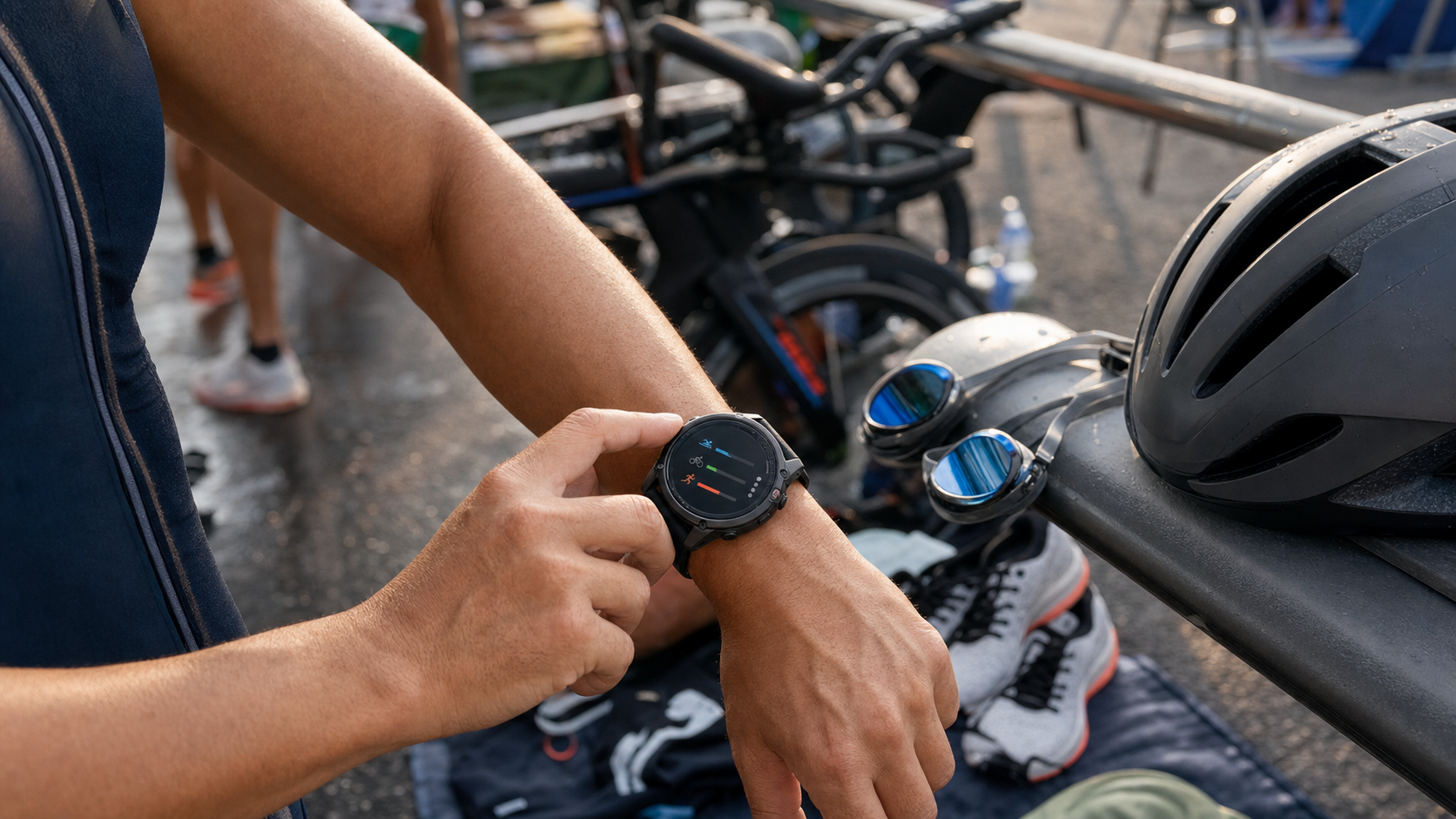
The Core Logic of Multisport Mode
A triathlon watch’s multisport mode (Multisport / Triathlon Mode) is essentially “stringing swim, transition, bike, transition, and run into one continuous activity,” with each sport using its corresponding data pages and sensor settings. When the race ends, all data uploads as a single file.
The key differences between brands:
- Brand A: Lap button switches sports, T1/T2 auto-timed
- Brand B: Auto-detection + manual confirmation dual mode
- Brand C: Purely manual switching, but fastest data page transitions
6 Must-Do Settings Before Race Day
1. Create a Triathlon Activity Template
Go to Activity Profile, first duplicate a Default Triathlon and name it “2026 Race Use.” Modify the copy rather than the master file to avoid messing up settings with no way back.
2. Data Page Configuration for Each Sport
| Sport | Recommended Data Page 1 | Recommended Data Page 2 |
|---|---|---|
| Swim | Distance / Time / Stroke Rate | Laps / Average Strokes |
| Transition 1 | Time / Heart Rate | (Single page is fine) |
| Bike | Distance / Speed / Power / Heart Rate | Lap Speed / NP / Elevation |
| Transition 2 | Time / Heart Rate | (Single page is fine) |
| Run | Distance / Pace / Heart Rate | Lap Speed / Cadence / Estimated Finish |
Key principle: No more than 4 data fields per page. Any more and the text becomes too small to read—you won’t have time to glance at it while riding or running.
3. Auto Lap Settings
- Swim: Turn off auto lap (it triggers falsely); use manual or pool mode Lap button instead
- Bike: Auto lap every 5K (change to 10K for IRONMAN)
- Run: Auto lap every 1K (change to 5K for marathon distance)
4. GPS and Sensor Pairing
Complete sensor pairing one week before race day:
- Heart rate strap (HRM) — essential for the swim leg
- Bike power meter
- Bike cadence sensor
- Running dynamics sensor (optional)
When pairing, assign sensors to the corresponding activity type to avoid the bike mode picking up a running power meter.
5. Auto Pause
Strongly recommended to turn off. Stopping for water, restroom breaks, or tire repairs during a triathlon is all part of race time—auto pause will distort your total time.
6. Button Lock
Enable auto button lock during the bike leg. When drinking, cornering, or grabbing nutrition, your sleeve can easily bump the buttons and switch screens—one accidental press can scramble your entire race data.
In-Race Operation SOP
- 5 minutes before entering the water: Start Multisport mode, press the start button but do not press Start
- 30 seconds before entering the water: Press Start to begin the swim leg
- From exiting the water to reaching your bike: Press Lap to switch to T1 (don’t wait until you grab the bike)
- Mounting the bike: Press Lap to switch to the bike leg
- From dismounting to before the run: Press Lap to switch to T2
- Starting the run: Press Lap to switch to the run leg
- Crossing the finish line: Press Lap to end, then long-press Stop to finish the activity
Advanced: Custom Alerts
Set a “pace drop alert” for the run leg: vibrate when your pace falls 15 sec/km slower than target. Configuration method:
- Alert type: Pace / Heart Rate / Power
- Trigger condition: Out of range for 30 seconds
- Alert method: Vibration + screen flash
Avoid setting audible alerts—you won’t hear them at a race anyway.
Battery Management
A full IRONMAN takes roughly 10–14 hours, so you must confirm your watch can last:
| Mode | Estimated Battery Life | Recommended Use |
|---|---|---|
| Full GPS + heart rate + power | 18–25 hr | Olympic / 70.3 |
| GPS 1-sec + all sensors | 12–18 hr | IRONMAN |
| UltraTrac (GPS every minute) | 30+ hr | Ultra-distance EXTRA |
We recommend doing one 6–8 hour continuous activity test the week before the race to confirm real-world battery drain.
Post-Race Data Analysis Focus
After uploading, focus on:
- Whether T1 and T2 times are reasonable (elite athletes target < 90 seconds)
- Whether bike power fades in the latter half (determines your next pacing strategy)
- Whether the first 5K of the run was too fast
- Degree of heart rate drift (a signal of dehydration or overheating)
Conclusion
Your watch is the only teammate in a race that never gets tired and never lets you fool yourself. Spend 2 hours setting up multisport mode properly, and your race-day execution will be three times better. Taking one training week at the start of each season to re-check all settings is an investment worth making.
Related Reading
- Triathlon Bike Leg Guide: The Complete Guide to Transitioning from Road Cyclist to Triathlete
- Triathlon Transition Zone Fully Broken Down: T1, T2 Course Design, Gear Placement, and Every Minute You Can Save
- Triathlon Transition Zone (T1/T2) Guide: Transition Techniques Where Every Second Counts
- Triathlon Transition Zone (T1/T2) Speed-Up Techniques, Course Planning, and Gear Selection Complete Guide (Series 378)
西進武嶺 免費訓練分析服務 Intervals | 練不夠還是練過頭?你哪一種類型選手?AI模型告訴你! | 備戰神器 | 公路車 訓練 | CT Yeh
4 年前
2025 自行車錶排行榜 兩萬車友大數據 / Garmin Bryton 排名會大洗牌嗎? / 全新的碼表前身分析 /公路車 / CT Yeh
1 年前
西進武嶺配速器 3.0更新 / NEW 免功率FTP估算! / 大數據xAI體能模型 / 如何模擬人止關前集團效應 / 配速儲存功能 / AI全台自行車賽事行事曆 / 公路車 / CT Yeh
1 年前
#公路車 #Fitting 靠人工智慧APP 幫你調整單車
6 年前
台中大三元 計時賽 爆笑關主ALL IN 拚了 | NEKO'S FUN | 公路車 | Taiwan Cycling Route
6 年前
全台首發神車錶! iGPSPORT iGS630 兩趟一日北高的續航! 超強導航、功率訓練、超人性APP! Garmin & Bryton 有對手了嗎? | 公路車 |CT Yeh
3 年前
超開放的自行車錶!可以玩遊戲裝APP!?/ SRAM合併的 Hammerhead Karoo深入開箱!/ 即時爬坡偵測 / 全球導航地圖 / Garmin Bryton / CT Yeh
1 年前
車錶新黑馬? / 超狂續航 / 超好用錶冠 / 無敵準定位 / Dash圖表合成!?/ COROS DURA 評測!/ 公路車 / CT Yeh
2 年前